How to record a product demo on a Mac
Plan a short walkthrough, record one Mac window, check audio and zooms, and export a demo viewers can follow.
To record a product demo on a Mac, choose one task, capture the window where it happens, and export a video after checking the recording at the size your audience will see it. Start by deciding what viewers should be able to do after watching.
1. Prepare the window and the story
Write down the starting state, the two or three actions you need to show, and the result. Use a sample account or fictional data when possible. Hide unrelated tabs, mute notifications, and put the window at a readable size. Run through the steps once without recording.
2. Capture the smallest useful area
In MacMuse Recorder, choose Window when your walkthrough takes place in one app. Choose Display if the workflow needs to move between apps. Turn on your microphone for narration and use system audio when the product itself makes sound the viewer needs to hear. Make a short test, play it back, and check both before recording the full demo.
3. Keep zooms tied to an action
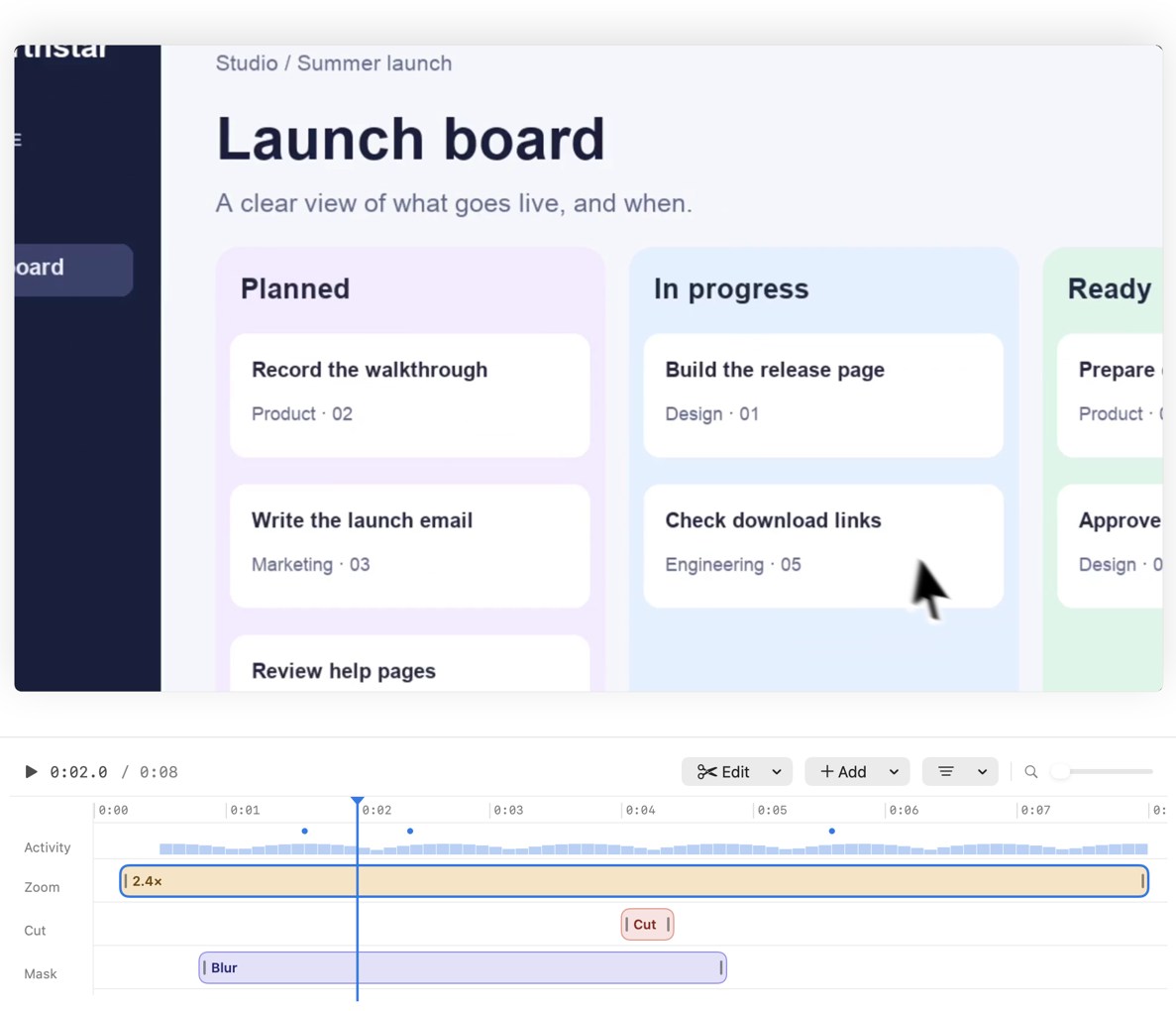
After recording, play the timeline from the beginning. Recorder uses clicks to suggest zooms. Keep the zoom that reveals a control or a change in the product. Remove or soften zooms on incidental clicks. Give viewers a moment to see where they are before zooming in. If you record sensitive content by mistake, use a clean retake when possible and inspect every frame around the affected section before sharing.
4. Export and watch the result
Use a wide MP4 for a standard product page or help article. If your destination is vertical, check that important controls stay within the narrower frame. Play the exported file all the way through. Check the spoken audio, any title or captions, and whether the final result remains visible long enough to understand.
Watch the Recorder launch film to see how a zoom can guide attention in a sample walkthrough.
Get new MacMuse apps first
A short email when a new app ships or an app gets a big update. That’s it.