Why MacMuse builds small, native, pay-once Mac apps
MacMuse makes native, single-purpose Mac apps you pay for once, with no account and no analytics. Here's how those rules show up in Snug and Beckon.
MacMuse builds small Mac apps on purpose. Our first two apps, Snug and Beckon, follow the same five rules, and this post explains each rule with what it looks like in a real app.
In short:
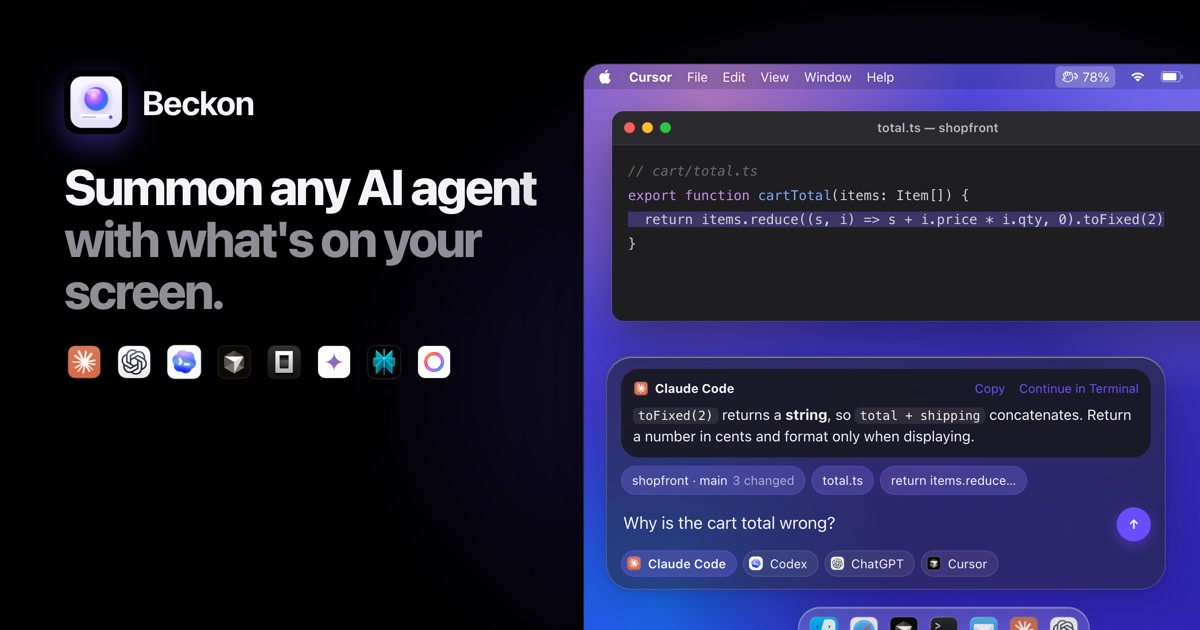
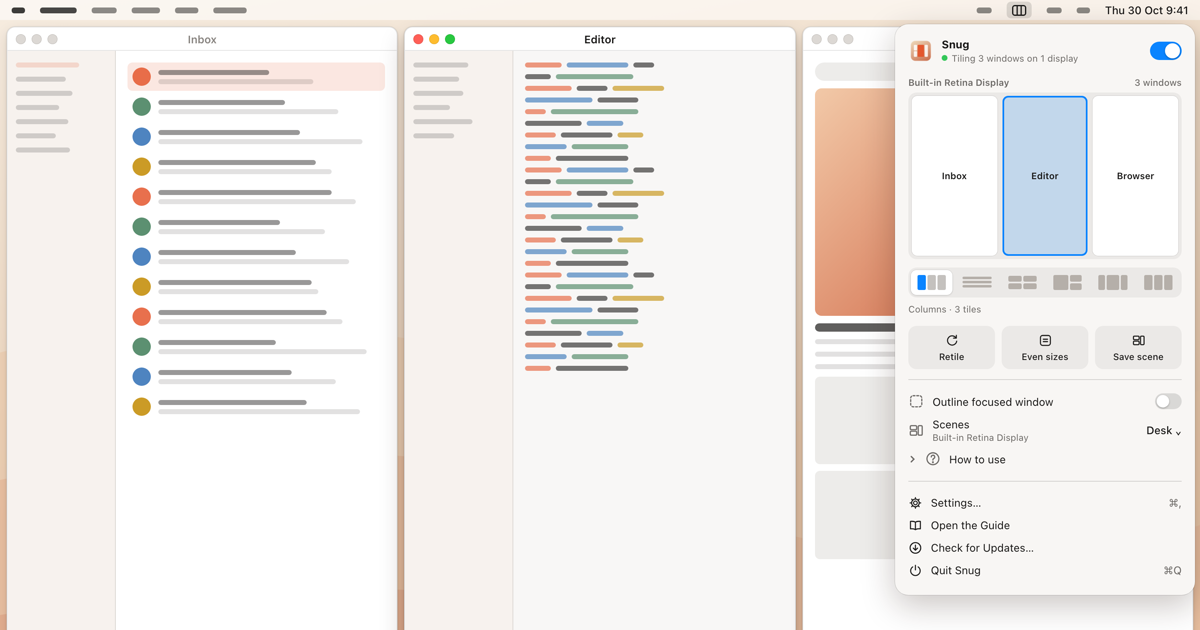
- One job each. Snug tiles your windows; Beckon hands your screen to an AI agent.
- Native. Written in Swift for macOS, a few megabytes each, signed and notarized by Apple.
- Pay once. $14.99 for Snug, $39 for Beckon, every 1.x update included.
- No account. A license key is all you need.
- Private by default. No analytics in either app. Beckon sends what it reads only to the agent you pick, and by default the only other request is a weekly license check.
Rule 1: one job, done well
A small app is one you can describe in a sentence and judge in a minute. Snug tiles every window the moment it opens. Beckon hands what’s on your screen to the AI agent you choose. Neither tries to become a workspace, a platform or a place you live in all day. They do their job and stay out of the way.
Small also means small on disk and light on your Mac. The Snug download is about 2.5 MB, and Beckon’s is about 4 MB. On a MacBook Air (M4), Snug measured 20 MB of memory with tiling on and 0.0% CPU while idle; the Snug performance page shows how those numbers were measured.
Rule 2: native, not a web page in a window
A Mac app should feel like part of the Mac. Both apps are written in Swift on Apple’s frameworks, with no Electron and no bundled web runtime; Snug’s only third-party part is the open-source Sparkle updater. That’s why they can be this small, and it’s what lets them use the system’s best parts directly:
- Snug moves windows through the macOS Accessibility API, the interface the system provides for this job.
- Beckon reads PDFs with PDFKit, reads text in screenshots with on-device OCR, and uses Apple Translation and Apple Intelligence when they’re available. Every feature still works without Apple Intelligence.
Native also means following the platform’s rules. Both apps are signed with a Developer ID and notarized by Apple.
Rule 3: one payment instead of a subscription
A utility you install once shouldn’t need a monthly payment. Snug costs $14.99 once for one Mac, and Beckon costs $39 once, each with every 1.x update included. Beckon also offers a 7-day pass for $5.99, which counts toward the full price if you keep it.
One payment changes what we build. There’s no reason to invent features to justify a renewal, and no incentive to make an app harder to leave. The apps are finished products that get better with updates, not services you rent.
Rule 4: no account to create
Neither app asks you to sign up. You buy a license key, paste it in, and you’re done. Neither app tells MacMuse how you use it. License checks go to Dodo Payments; the only requests to us are update checks, plus your pass key if you click Keep Beckon.
Rule 5: private by default
We don’t know how you use Snug or Beckon, and we’ve designed them so we can’t. Neither app contains analytics or telemetry. Their network use is short enough to list:
| App | What it sends, and when |
|---|---|
| Snug | License activation, a weekly check and deactivation, sending your license key and your Mac’s name to Dodo Payments; a once-a-day update check |
| Beckon | License activation and a weekly license check by default; a checkout request if you click “Keep Beckon” on a 7-day pass; a daily update check and live plan limits only if you turn them on |
Each app’s privacy page states exactly what it reads, stores and sends: see Snug’s privacy page and Beckon’s privacy page. When an app reads your screen, the rules are stricter still. Snug reads only each window’s position, size, role and owning app, never its contents, and it never asks for Screen Recording permission. Beckon reads the screen only when you press its shortcut, never reads password fields or password managers, and can mask secrets before anything reaches an agent.
Apart from the license check, what the apps learn about your setup lives on your Mac. Snug keeps its settings and saved scenes locally, and its scenes store app identifiers and positions, not window titles or document names. Beckon reads your agents’ usage from the log files those tools already keep, and asks a service for live limits only when you’ve opted in.
What these rules cost you
The rules come with trade-offs, and it’s fair to name them:
- No Mac App Store. Snug can’t be sold there, because App Store apps run in the App Sandbox, which doesn’t allow moving other apps’ windows. You buy from our sites instead, and updates come from us rather than the App Store.
- A license is per Mac. Moving to a new Mac means deactivating the old one in Settings first.
- No sync. Without accounts or servers, settings and Snug’s saved scenes stay on the Mac where you made them.
More small apps are coming
Each new MacMuse app will follow the same five rules: one job, native, one payment, no account, and private by default.
To see these rules in a real app, take a look at Snug.
Get new MacMuse apps first
A short email when a new app ships or an app gets a big update. That’s it.