MacMuse Recorder vs Loom: share links or files you own?
Loom vs MacMuse Recorder: per-user hosting with comments and analytics, or a $19.99 one-time Mac app that exports polished files. Checked Nov 2026.
Pick Loom if your team sends video messages, replies in the comments and checks who watched. Pick MacMuse Recorder if you make finished videos, such as product demos, tutorials or help clips, and want a file you own for a one-time price. These apps do different jobs, so the right choice depends on where your viewers watch.
We make MacMuse Recorder. Loom does things Recorder can’t, and this page says so. Every Loom fact links to Loom’s own site or help center.
Loom vs MacMuse Recorder at a glance
Prices and features checked on November 11, 2026.
| Loom | MacMuse Recorder | |
|---|---|---|
| Price and model | Starter free; Business $18/user/month; Business + AI $24/user/month; up to 17% off yearly | One-time: $19.99 for 1 Mac, up to $69.99 for 5 Macs |
| Platforms and requirements | Mac, Windows, iOS, Android, Chrome extension. Newest Mac app needs macOS 15 | Mac only. Apple silicon, macOS 15 or later |
| Recording sources | Display, window, custom area, camera only, or screen and camera | Display, window, area, or camera |
| System audio | Yes, a setting in the Mac app | Yes, with the microphone (each optional) |
| Camera | Bubble in five sizes and four shapes; virtual backgrounds and blur | Bubble, split, floating and full-screen layouts; background removal or blur |
| Auto zoom | Not listed | Yes, suggested from your clicks |
| Editable zooms | Not listed | Yes: move, retime, change the pace of, or delete |
| Captions | Transcriptions in 50+ languages | Yes, transcribed on your Mac |
| Export formats | MP4 download on paid plans; not on Starter | MP4 (H.264 or HEVC), GIF, ProRes 4444 with transparency |
| Aspect ratios | Not listed | 16:9, 4:3, 1:1, 3:4, 9:16 |
| Share links and cloud | Yes: links, comments, reactions, viewer insights | None. Recordings stay on your Mac |
| Trial | Free Starter plan; Business + AI free for 14 days | No free trial |
“Not listed” means Loom’s own pages don’t say.
Where Loom is better
Loom is a hosting service with a recorder attached. For many teams, the hosting is the point.
- Share links. You stop recording and send a link. There’s no export or upload step.
- Conversation on the video. Viewers leave comments and emoji reactions. Recorder has no comments.
- Viewer insights. You see how your videos get watched. Business adds engagement insights you can export.
- Every platform. Loom works on Mac, Windows, iOS and Android, plus a Chrome extension. Recorder is Mac-only.
- A free plan. Starter costs nothing. It allows 25 videos per person, up to 5 minutes each, at up to 720p. Recorder has no free version.
- Team admin. Workspaces, privacy controls, password-protected videos on Business, and SSO and SCIM on Enterprise.
- AI on the higher plan. Business + AI adds meeting notes, recap emails and editing by transcript.
- Camera backgrounds. The camera bubble supports virtual backgrounds and blur in screen and camera mode.
If most of your videos get replies, Loom is the better tool.
Where MacMuse Recorder is better
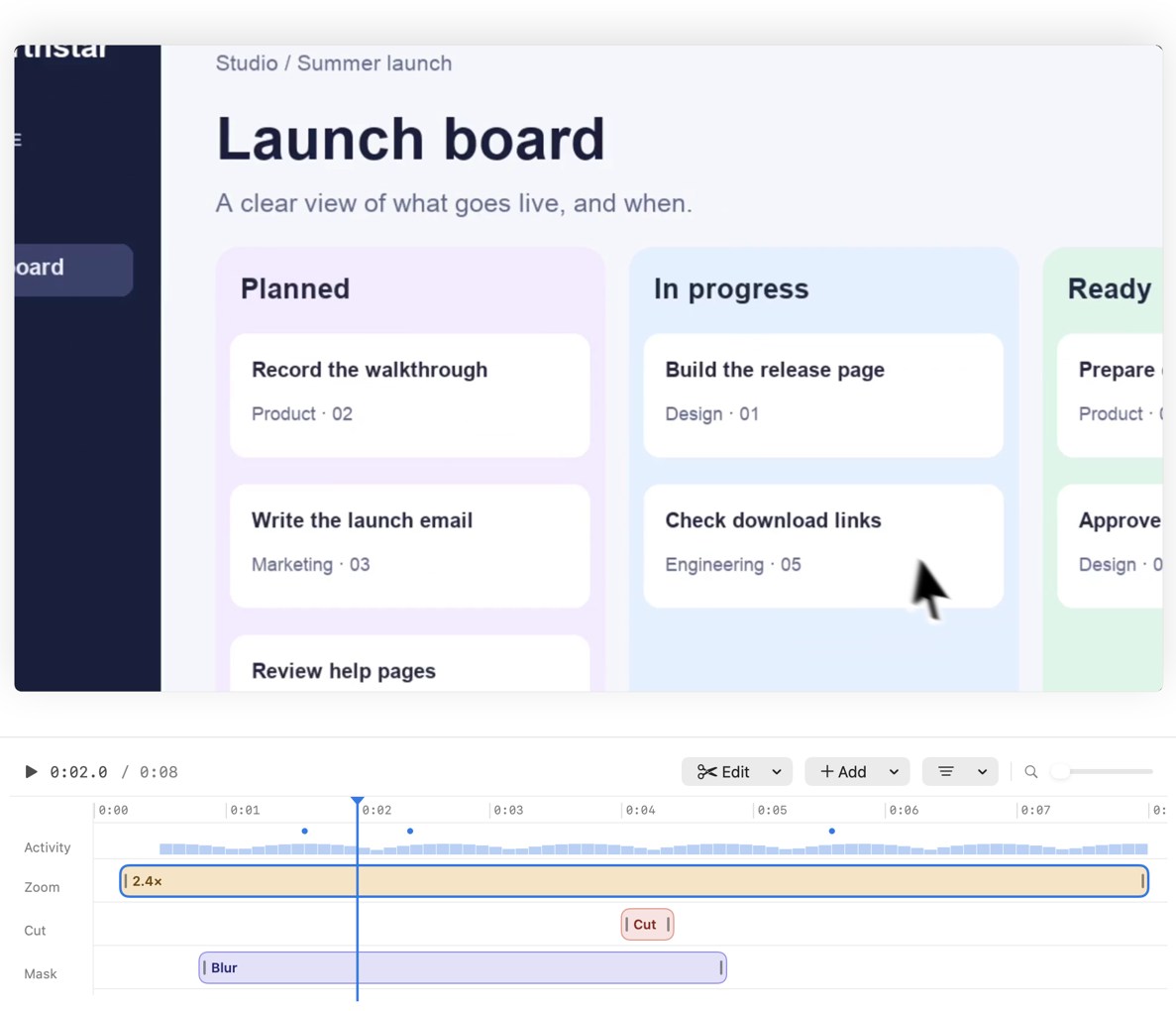
- You get a polished file. Recorder suggests zooms from your clicks, so viewers can read small controls. Every zoom is a block on the timeline you can move, retime, change the pace of, or delete.
- A real editor on your Mac. Trim, cut pauses, speed changes, freeze frames, title and end cards, shortcut key overlays, privacy blur and masks, click ripples, cursor smoothing, backgrounds and built-in music. Loom’s Mac app opens editing in a browser.
- More export formats. MP4 in H.264 or HEVC, GIF, or ProRes 4444 with transparency, in five aspect ratios from one recording. Loom gives MP4 downloads, and only on paid plans, per its help center.
- No per-seat bill. One person pays $19.99 once. No account.
- Private by default. Recordings and edits stay on your Mac. The app goes online only to check its license and look for updates.
What Recorder doesn’t have: share links, comments, viewer analytics, Windows, iPhone recording or a free trial. You share the exported file wherever you already share files, such as Slack, Google Drive, your help center or YouTube.
What does each cost over 1 and 3 years?
For one person, before tax. Loom’s page says yearly billing saves up to 17%, but doesn’t list yearly prices, so this uses the monthly prices.
Loom Starter: $0. But you get 5-minute videos at 720p and can’t download them.
Loom Business: $18 × 12 = $216 a year. Over 3 years, $216 × 3 = $648.
Loom Business + AI: $24 × 12 = $288 a year. Over 3 years, $288 × 3 = $864.
MacMuse Recorder: $19.99 once. After 1 year and 3 years, $19.99.
Even with the full 17% yearly saving, Business would be about $179 a year. Per-user pricing also grows with your team. Five people on Business at the monthly price pay $1,080 a year.
That money buys hosting, comments and analytics. If you use them, it’s a fair price. If you mostly download the MP4 and post it somewhere else, you’re paying for features you don’t use.
Is there a Loom alternative for Mac?
Yes, and which one depends on whether you need links. If you need links and comments, look at Cap, Tella or Screen Studio. If you want a file you own, look at a one-time recorder such as MacMuse Recorder or Cap’s Desktop License. Our Loom alternative for Mac guide compares all of them. For a wider list, see the best screen recorder for Mac.
A quick test: look at your last ten Loom videos. If most got comments or you checked who watched, stay on Loom. If most were demos you posted elsewhere, a local recorder fits better.
Who should choose each
Choose Loom if:
- Your team works through async video messages.
- You need comments, reactions or view data.
- People on Windows or phones need to record too.
- You want a free plan for short clips.
Choose MacMuse Recorder if:
- You make product demos, tutorials or release videos.
- You want automatic zoom you can edit.
- You want MP4, GIF or ProRes files without a subscription.
- You work alone or in a small team on Apple silicon Macs.
FAQ
Can I download Loom videos as MP4?
On paid plans, yes, depending on your role. Starter users can’t download their videos, per Loom’s help center.
Does Loom have automatic zoom?
Loom’s pricing and Mac help pages don’t list automatic zoom. MacMuse Recorder suggests zooms from your clicks, and you can edit each one on the timeline.
Does MacMuse Recorder have share links like Loom?
No. Recorder has no cloud hosting, share links, comments or viewer analytics. It exports a file to your Mac.
How much does Loom cost per user?
Business is $18 per user per month and Business + AI is $24, with up to 17% off if you pay yearly. Starter is free.
Next step
If what you make is a finished video, not a message thread, see MacMuse Recorder’s features and pricing. It’s $19.99 once for one Mac, and your recordings stay on your Mac.
Get new MacMuse apps first
A short email when a new app ships or an app gets a big update. That’s it.