MacMuse Recorder vs Cap: which Mac recorder to buy in 2026
Cap vs MacMuse Recorder: free and open source with share links, or $19.99 once and fully local. Price, zoom, export and platforms compared.
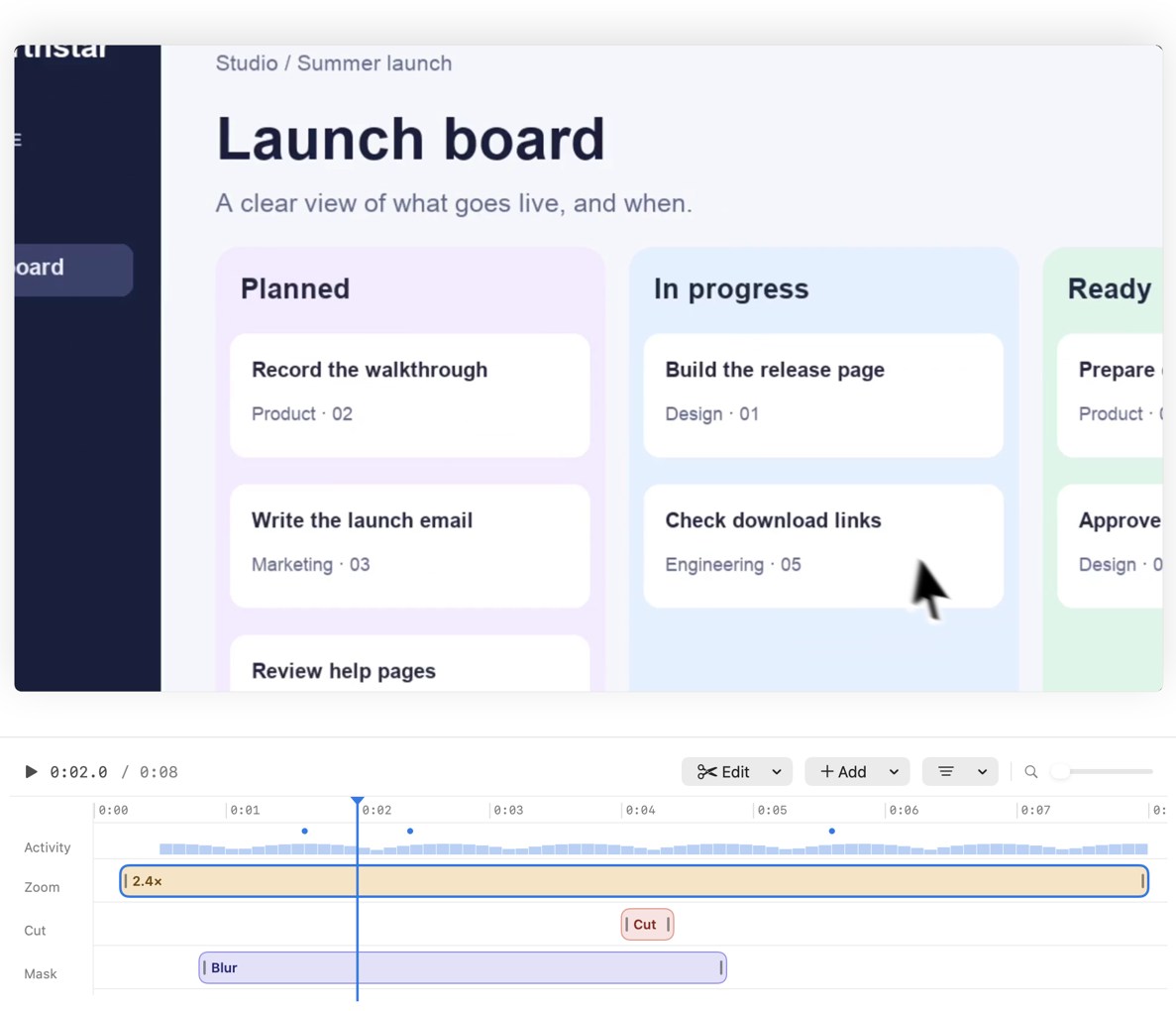
Pick Cap if you want a free recorder for personal use, need Windows, Linux or an Intel Mac, or share videos as links. Pick MacMuse Recorder if you’d otherwise buy Cap’s paid license for work, want to pay once at a lower price, and want nothing to leave your Mac. Both suggest zooms from your clicks and let you edit each one.
We make MacMuse Recorder, so keep that in mind. Cap is a strong app, and this page says where it wins. Every Cap fact links to Cap’s own site.
Cap vs MacMuse Recorder at a glance
Prices and features checked on November 11, 2026.
| Cap | MacMuse Recorder | |
|---|---|---|
| Price and model | Free for personal use. Desktop License $29/year or $58 once. Cap Pro $12/user/month, or $8.16/month billed yearly | One-time: $19.99 for 1 Mac, up to $69.99 for 5 Macs |
| Platforms and requirements | Mac (Apple silicon and Intel, macOS 13.1+ recommended), Windows, Linux | Mac only. Apple silicon, macOS 15 or later |
| Recording sources | Display, window, area, or camera only | Display, window, area, or camera |
| System audio | Yes, on supported setups | Yes, with the microphone (each optional) |
| Camera | Default, camera only, hide camera, split screen and floating scenes | Bubble, split, floating and full-screen layouts; background removal or blur |
| Auto zoom | Yes, generated from clicks | Yes, suggested from your clicks |
| Editable zooms | Yes: move, resize, set 1x to 4.5x, pick the focal point | Yes: move, retime, change the pace of, or delete |
| Captions | Yes, transcribed locally (beta) | Yes, transcribed on your Mac |
| Export formats | MP4 up to 4K at 60 fps; GIF up to 1080p; transparent cursor-only MOV | MP4 (H.264 or HEVC), GIF, ProRes 4444 with transparency |
| Aspect ratios | Auto, 16:9, 9:16, 1:1, 4:3, 3:4 | 16:9, 4:3, 1:1, 3:4, 9:16 |
| Share links and cloud | 25 links a month up to 5 minutes on Free and Desktop; unlimited on Pro | None. Recordings stay on your Mac |
| Trial | No trial listed; the free plan is “Free forever” | No free trial |
Cap details come from its pricing page, download page and Studio Mode docs.
Where Cap is better
Cap does a lot, and much of it costs nothing.
- It’s free for personal use. The free plan includes Studio Mode with the full editor, 4K export at 60 fps, and no time limit on local recordings. Recorder has no free version or trial.
- It runs almost everywhere. Cap has builds for Apple silicon and Intel Macs, Windows and Linux. Recorder needs an Apple silicon Mac on macOS 15.
- Share links. Even the free plan includes 25 links a month, up to 5 minutes each. Cap Pro adds unlimited links, viewer analytics, password-protected shares, custom domains, team workspaces and a Loom video importer. Recorder has no links at all.
- AI extras on Pro. Cap Pro writes titles, summaries, chapters and transcriptions for you.
- Your own storage. Pro can use your own S3 bucket or Google Drive.
- Open source. You can read the code, and Cap says the free plan is “Free forever.”
- Fine zoom control. You can set each zoom from 1x to 4.5x and pick its focal point. It also exports a transparent cursor-only MOV, which is handy for advanced edits.
If you need one app for quick Loom-style links and polished Studio Mode videos, Cap is the better pick.
Where MacMuse Recorder is better
- Lower one-time price. Cap’s free plan is personal use only. Client or company work needs a Desktop License ($58 once) or Cap Pro. Recorder has one price per number of Macs, starting at $19.99 once for one Mac.
- Fully local. Recordings and edits stay on your Mac. The app goes online only to check its license and look for updates. There’s no cloud account to manage.
- Pro-grade export. Recorder exports HEVC as well as H.264 MP4, and ProRes 4444 with transparency for editing in another app.
- Camera background removal. You can remove or blur the background behind you in bubble, split, floating or full-screen layouts.
- Zoom pace. You can change how fast each zoom moves, as well as move, retime or delete it.
- More built-in polish. Freeze frames, title and end cards, shortcut key overlays, privacy blur and masks, click ripples and built-in music tracks.
What Recorder doesn’t have: share links, comments, viewer analytics, Windows or Linux, Intel Mac support, iPhone recording or a free trial.
What does each cost over 1 and 3 years?
For one person, before tax. Cap’s free plan is $0, but only for personal use, so this compares paid options you can use for work.
Cap Desktop License, yearly: $29 a year. Over 3 years, $29 × 3 = $87.
Cap Desktop License, lifetime: $58 once. After 1 year and 3 years, $58.
Cap Pro, billed yearly: $8.16 × 12 = $97.92 a year. Over 3 years, $97.92 × 3 = $293.76.
Cap Pro, monthly: $12 × 12 = $144 a year. Over 3 years, $144 × 3 = $432.
MacMuse Recorder: $19.99 once. After 1 year and 3 years, $19.99.
Against Cap’s lifetime license, Recorder costs $38.01 less ($58 − $19.99). Against the yearly license, it’s $9.01 less in year one and $67.01 less over 3 years. If you need unlimited links, Cap Pro is the fair comparison, and Recorder can’t do that job.
Is there a Cap screen recorder alternative?
Yes. If you want Cap-style editing for a one-time price on a Mac, MacMuse Recorder is $19.99 once. If you want the closest thing to Screen Studio, read MacMuse Recorder vs Screen Studio. For a list that also covers Screen Charm, FocuSee and CursorClip, see the best Screen Studio alternatives for Mac. If links and comments matter most, see our Loom alternative for Mac guide.
Who should choose each
Choose Cap if:
- Your videos are personal and you want to pay nothing.
- You use Windows, Linux or an Intel Mac.
- You share videos as links and want viewer analytics.
- You want open-source software.
Choose MacMuse Recorder if:
- You make videos for work and want the lowest one-time price.
- You never want recordings in the cloud.
- You need ProRes with transparency or HEVC.
- You have an Apple silicon Mac on macOS 15 or later.
FAQ
Is Cap really free?
Yes, for personal use. The free plan includes the full Studio Mode editor, 4K export and 25 share links a month. Commercial use needs a Desktop License or Cap Pro, per Cap’s pricing FAQ.
Cap vs Screen Studio: which is cheaper?
Cap. Its Desktop License is $58 once, or free for personal use. Screen Studio is $9 a month billed yearly, or $29 monthly. MacMuse Recorder is cheaper than both at $19.99 once.
Does MacMuse Recorder have share links like Cap?
No. Recorder has no cloud hosting, share links, comments or viewer analytics. You export a file and share it where you like.
Can you edit automatic zooms in Cap and Recorder?
Yes, in both. Cap lets you move and resize zoom segments and set their level. Recorder lets you move, retime, change the pace of, or delete each zoom.
Next step
If you record for work on an Apple silicon Mac and want to pay once, see MacMuse Recorder’s features and pricing. It’s $19.99 once for one Mac, and your recordings stay on your Mac.
Get new MacMuse apps first
A short email when a new app ships or an app gets a big update. That’s it.