MacMuse Recorder vs Screen Studio: which to buy in 2026
Screen Studio vs MacMuse Recorder: subscription vs one-time price, auto zoom, camera, export and share links compared. Checked November 11, 2026.
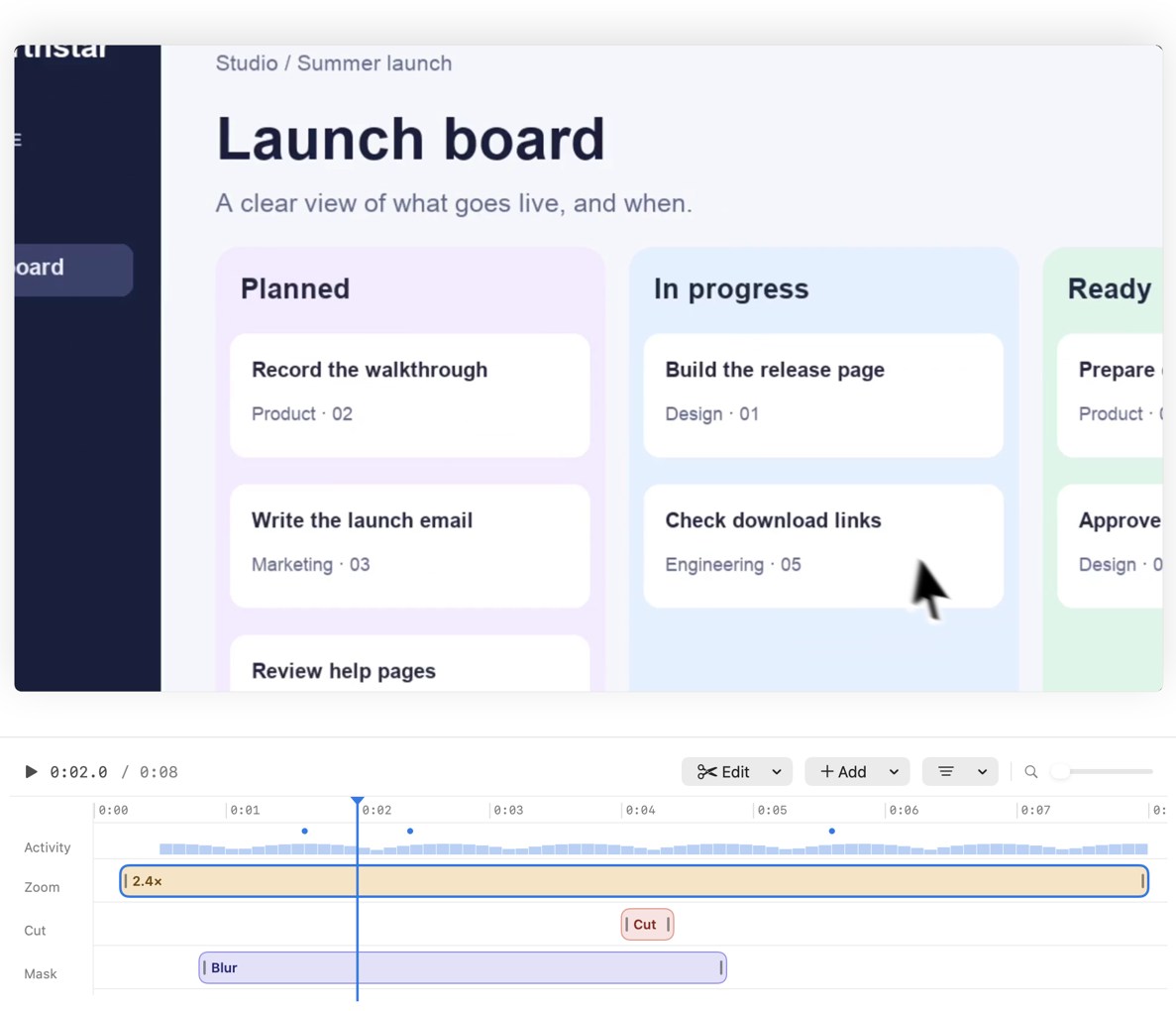
Pick Screen Studio if you share videos as links, edit by transcript, or record an iPhone, and a subscription is fine. Pick MacMuse Recorder if you export files for a product page, help center or social post, and you want to pay once. Both suggest zooms from your clicks, and both let you edit each zoom on the timeline.
We make MacMuse Recorder. We’ve tried to be fair, and every Screen Studio fact below links to Screen Studio’s own site.
Screen Studio vs MacMuse Recorder at a glance
Prices and features checked on November 11, 2026.
| Screen Studio | MacMuse Recorder | |
|---|---|---|
| Price and model | Subscription: $29/month, or $9/month billed yearly. All features on both plans | One-time: $19.99 for 1 Mac, up to $69.99 for 5 Macs |
| Platforms and requirements | Mac only. macOS 13.1 or later recommended. Built for Apple silicon | Mac only. Apple silicon, macOS 15 or later |
| Recording sources | Display, window, area, webcam, iPhone or iPad over USB | Display, window, area, or camera |
| System audio | Yes, with the microphone | Yes, with the microphone (each optional) |
| Camera | Five layouts, including split and cutout; background removal | Bubble, split, floating and full-screen layouts; background removal or blur |
| Auto zoom | Yes, from clicks and other actions | Yes, suggested from your clicks |
| Editable zooms | Yes: change length, level and target, disable or remove | Yes: move, retime, change the pace of, or delete |
| Captions | Yes, transcribed on your Mac; optional cloud; .srt export; edit by transcript | Yes, transcribed on your Mac |
| Export formats | MP4 up to 4K at 60 fps; GIF up to 1080p | MP4 (H.264 or HEVC), GIF, ProRes 4444 with transparency |
| Aspect ratios | 16:9, 1:1, 9:16 | 16:9, 4:3, 1:1, 3:4, 9:16 |
| Share links and cloud | Optional links at 1080p, up to 30 minutes, with comments and view counts | None. Recordings stay on your Mac |
| Trial | Not listed on its site | No free trial |
Where Screen Studio is better
Screen Studio set the standard for this kind of app, and it’s still ahead in several ways. All of this comes from screen.studio.
- Share links. You can make a private link that plays in the browser at 1080p and 60 fps, for videos up to 30 minutes. Viewers can leave comments tied to a moment, and you see view counts. Nothing uploads until you make a link. Recorder has none of this.
- Editing by transcript. You can cut a video by editing its transcript, and export captions as an .srt file. Transcription can run on your Mac, with cloud as an option.
- iPhone and iPad recording. Plug in a device over USB and pick it in the recording bar. Recorder can’t record an iPhone.
- Older Macs. It recommends macOS 13.1 or later. Recorder needs macOS 15.
- More camera tricks. Besides its five layouts, it has face tracking and can hide the camera during silence.
- Audio clean-up. It offers noise reduction and a Podcast mode for the microphone.
- Team features. You can share editable projects with teammates.
- Zoom control. Each zoom is a purple block on the timeline. You can drag its edges, set its level, choose auto or manual targeting, or disable or remove it.
It’s also the more established product. If your company pays, that polish is worth a lot.
Where MacMuse Recorder is better
- You pay once. $19.99 for one Mac. No subscription and no account.
- More export options. Recorder exports HEVC as well as H.264 MP4, plus ProRes 4444 with transparency. ProRes with transparency is useful when you drop a recording onto your own background in Final Cut or Premiere. Screen Studio’s site lists MP4 and GIF.
- More aspect ratios. Recorder adds 4:3 and 3:4 to 16:9, 1:1 and 9:16, all from the same recording.
- Nothing in the cloud. Recordings and edits stay on your Mac. The app goes online only to check its license and look for updates. If your recordings show client data, there’s no upload to think about.
- Zoom pace. Besides moving, retiming and deleting a zoom, you can change how fast it moves in and out.
- Other editing tools. Freeze frames, title and end cards, shortcut key overlays, privacy blur and masks, click ripples and built-in music tracks.
What Recorder doesn’t have: share links, comments, view counts, a Windows version, iPhone recording or a free trial. To judge it before you buy, watch the launch film.
What does each cost over 1 and 3 years?
For one person on one Mac, before tax.
Screen Studio, yearly plan: $9 × 12 = $108 a year. Over 3 years, $108 × 3 = $324.
Screen Studio, monthly plan: $29 × 12 = $348 a year. Over 3 years, $348 × 3 = $1,044.
MacMuse Recorder: $19.99 once. After 1 year, $19.99. After 3 years, still $19.99.
So over 3 years, Recorder costs about $304 less than Screen Studio’s yearly plan. Students and educators get 40% off Screen Studio, which brings the yearly plan to about $64.80 a year.
The gap is real, but so is what the subscription buys: hosting, comments and transcript editing. If you use those every week, the subscription may be the better deal.
Is there a Screen Studio alternative with a one-time purchase?
Yes. Screen Studio itself no longer sells one-time licenses to new buyers. Its site says buying one “was possible in the past” but isn’t now. Old licenses still work.
MacMuse Recorder is $19.99 once. Other one-time options include Cap’s Desktop License, Screen Charm and CursorClip. We compare them all in the best Screen Studio alternatives for Mac.
Who should choose each
Choose Screen Studio if:
- You share most videos as links and read the comments.
- You edit by transcript or export .srt files.
- You record an iPhone or iPad.
- Your Mac runs macOS 13 or 14.
- You already own an old Screen Studio license.
Choose MacMuse Recorder if:
- You export MP4s for a website, a help article, YouTube or social posts.
- You want ProRes with transparency, or 4:3 and 3:4 crops.
- You don’t want your recordings in anyone’s cloud.
- You want to pay $19.99 once instead of $108 a year.
For a broader look at Mac recorders, see the best screen recorder for Mac.
FAQ
Is Screen Studio a one-time purchase?
Not for new buyers. It costs $29 a month, or $9 a month billed yearly. Its site says one-time licenses are no longer available for new purchases, though existing ones still work.
Can you edit Screen Studio’s automatic zooms?
Yes. Zooms sit on the timeline. You can drag a zoom’s edges to change its length, set its level, switch it between auto and manual targeting, or disable or remove it. Recorder works the same way: every zoom is a block you can move, retime, change the pace of, or delete.
Does MacMuse Recorder have share links like Screen Studio?
No. Recorder has no cloud hosting, share links, comments or view counts. You export a file and share it wherever you already share files.
Do Screen Studio and MacMuse Recorder work on Windows?
No. Both are Mac-only. Screen Studio’s FAQ says it has “no near-future plans” for Windows.
Next step
If you mostly export files and want to pay once, see MacMuse Recorder’s features and pricing. It costs $19.99 once for one Mac and runs on Apple silicon Macs with macOS 15 or later.
Get new MacMuse apps first
A short email when a new app ships or an app gets a big update. That’s it.